 by
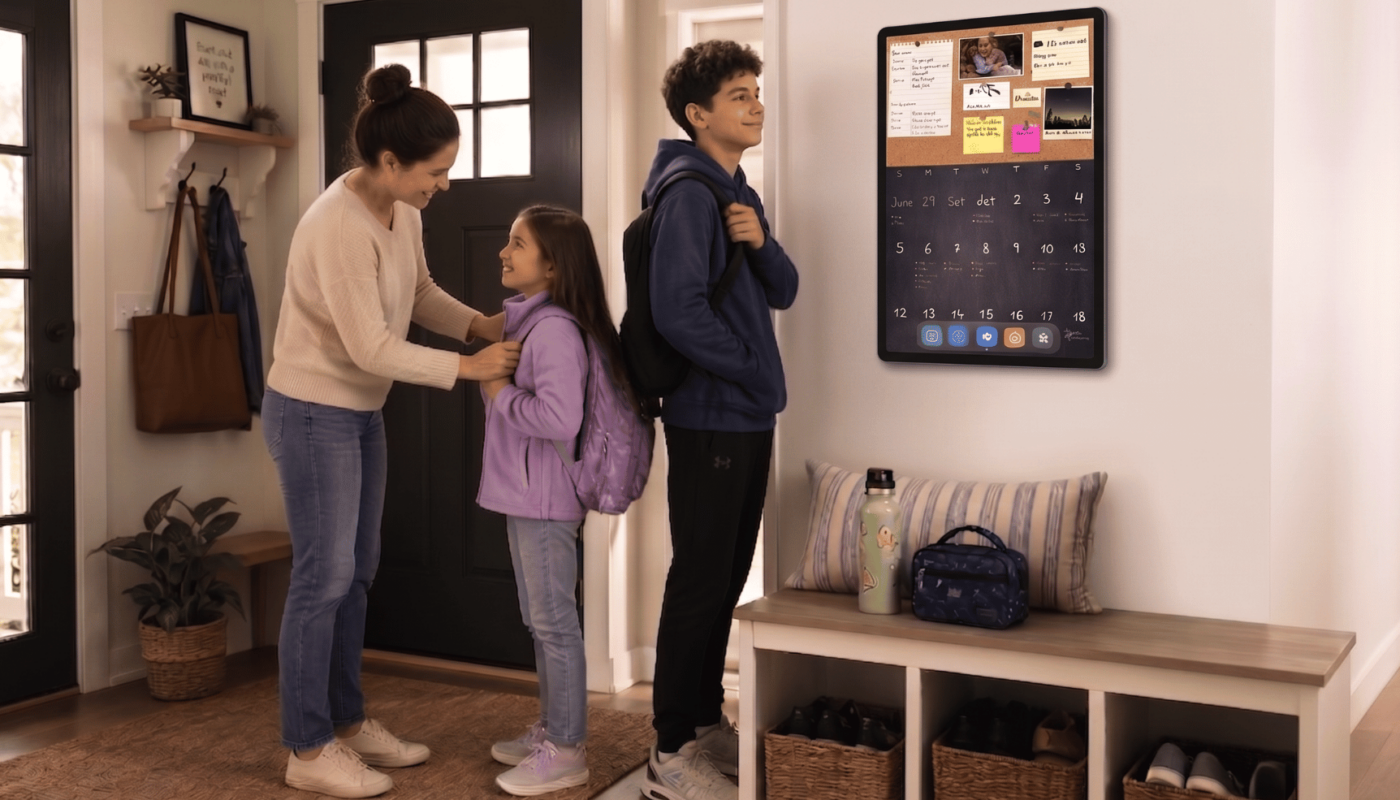
by The sudden shift from lazy summer days to the mad dash of school mornings can be a shock to the system. Backpacks come out, school supplies pile up, and somebody forgets to sign a permission slip. Keeping track of all of it usually falls on the parents.
This year, let DAKboard turn that morning chaos into a calm routine. Our brand-new TouchHub makes your wall display something the family uses, not just glances at in passing.
Hand the Routine Back to the Kids With TouchHub
If your household runs on a constant loop of “did you do your chores?”, we built TouchHub specifically for you. It gives kids a chance to build their independence, one small responsibility at a time. The trick is easing into it so kids don’t feel overwhelmed on day one.
1. Start Small With the Family Chores Manager
Every family member gets their own space on the wall, and finishing a job is as simple as tapping it off. Instead of loading up a massive list, start the first week of school with just two daily occurrences to build the habit.
- Morning Basics: “Make Bed” and “Pack Lunch in Backpack.”
- Afternoon Additions: Once they master the morning, build on the routine by adding “Empty Lunchbox” and “Complete Homework” when they walk in the door. Kids get a genuine kick out of tapping a task off the list. Even the youngest ones want in on it.
Need help setting this up? Check out our support article on How to use the Family Chores Manager.
2. Strategize Points & Rewards for the School Year
Chores earn points that kids can cash in for custom rewards you choose. To keep kids motivated without asking for daily prizes, structure your rewards around the weekend.
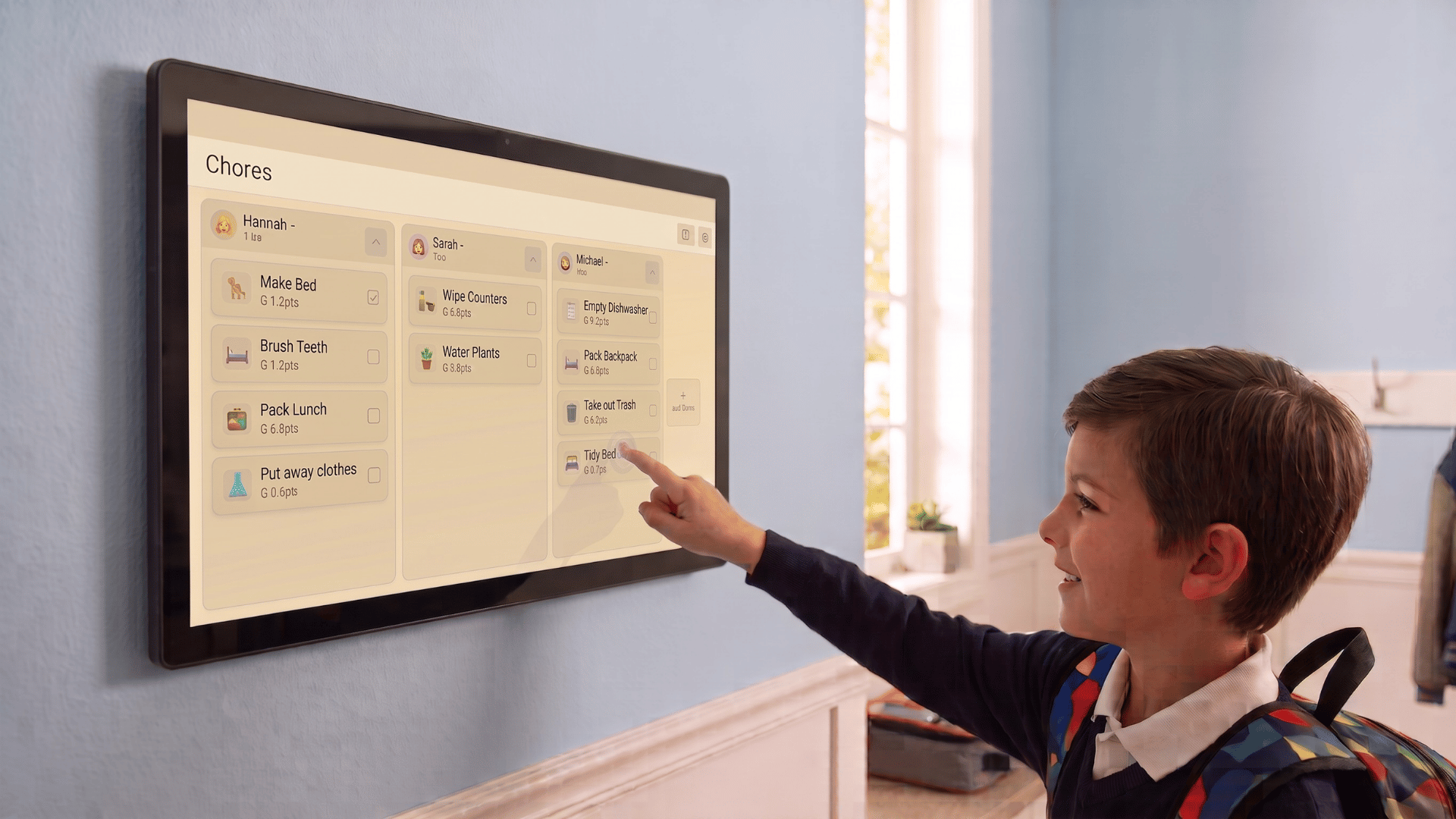
- Pro Tip: Set up daily tasks to earn small point values, but make the rewards cost enough points that they take all week to earn. Younger kids might cash in points for “Friday Night Movie Pick” or “Extra Saturday Video Game Time,” while parents of older children in high school could offer “An Hour Later to Curfew” on the weekends. A family leaderboard also keeps the friendly competition going!
3. Use Child Lock for Peace of Mind
If your wall display doubles as a shared kitchen tablet, Child Lock keeps things running smoothly. It limits the screen to simply checking chores off, so young hands can tap without accidentally adding, deleting, or rearranging anything on the list.
4. Streamline Your Display With the Quick-Access Dock
With the new bottom dock, you no longer have to cram every single widget and calendar onto one cluttered screen. Instead, you can split things up and rotate through custom screens with a single touch:
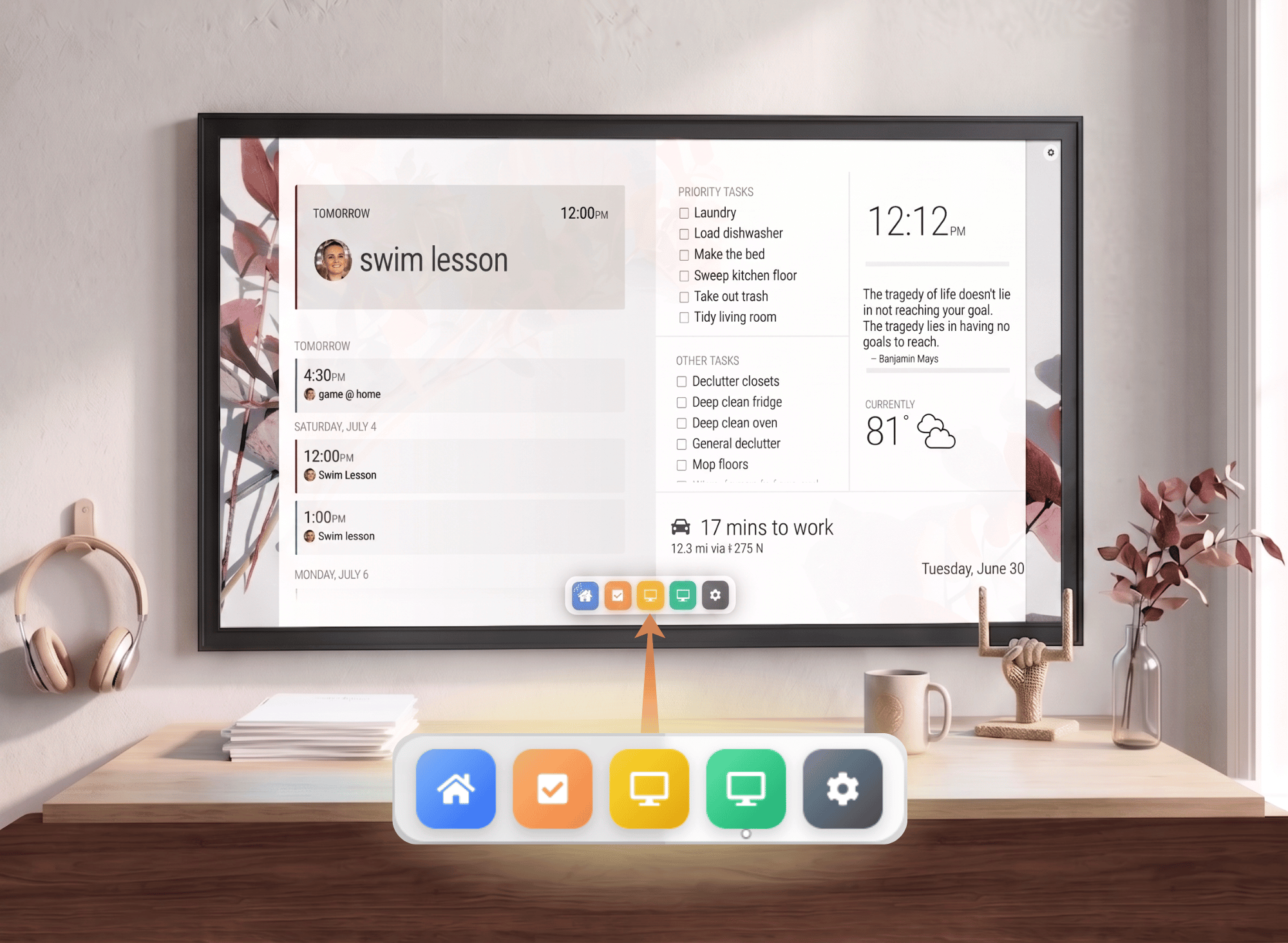
- Main Display: Keep your primary screen clean as a large photo frame featuring just a basic calendar and weather. Set it as your Auto-Return default too, so it’s what pops back up after a few idle minutes.
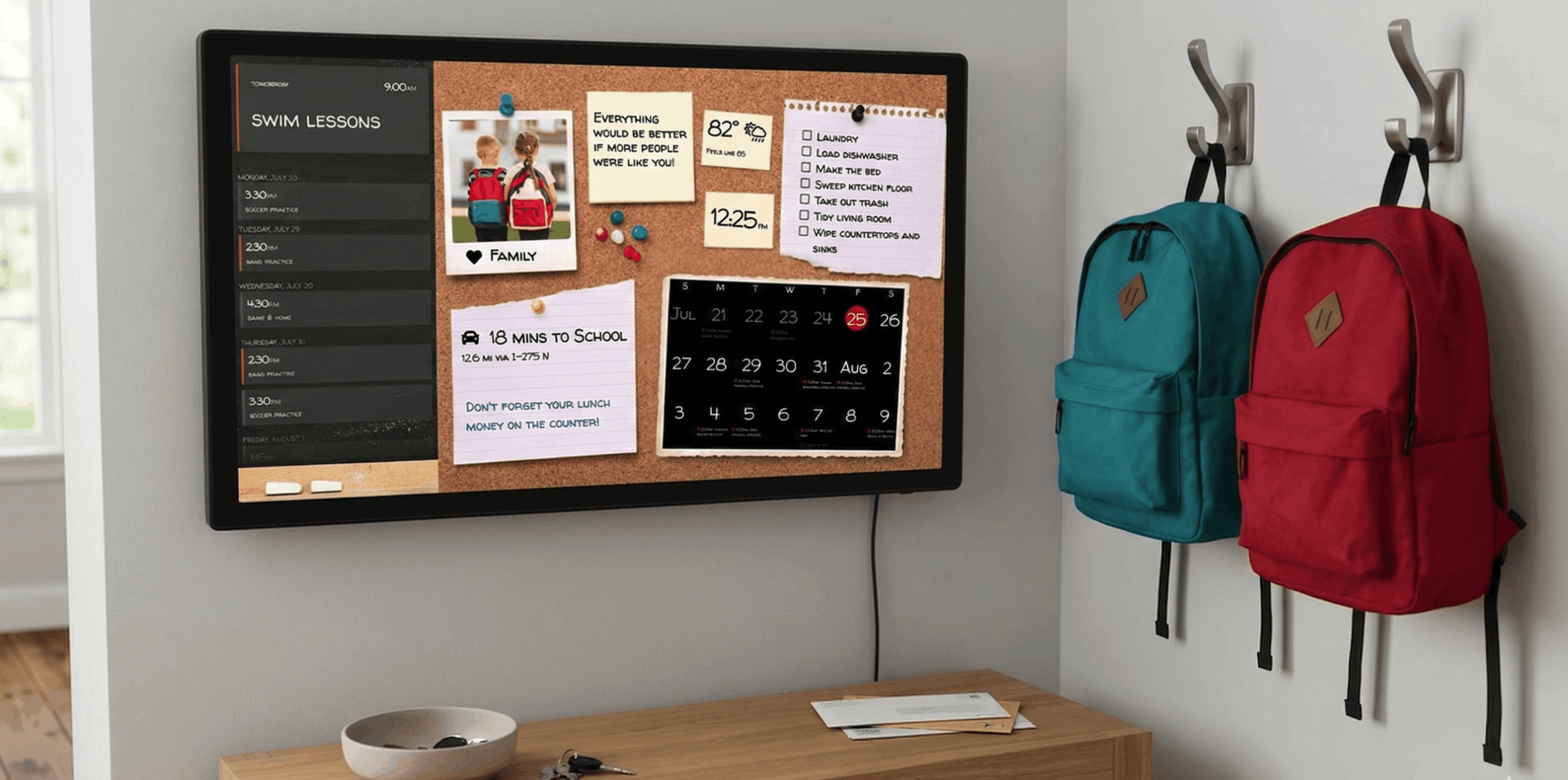
- Morning Command Center: Tap over to a screen focused on day-of schedules, notes, traffic, and school lunch menus when getting everyone out the door.
- Dedicated Touch Apps: Jump straight into the Family Chores Manager or Home Assistant without digging through menus while you are trying to pour cereal.
- Evening Wind-Down: Switch to a simplified screen filled with bedtime checklists and calming backgrounds when the day ends.
5. Smart Home Control at the Door
Home Assistant now runs as its own app. You can control your lights, locks, and thermostats from the wall as easily as flipping a switch. A few small automations can make the back-to-school routine even smoother:
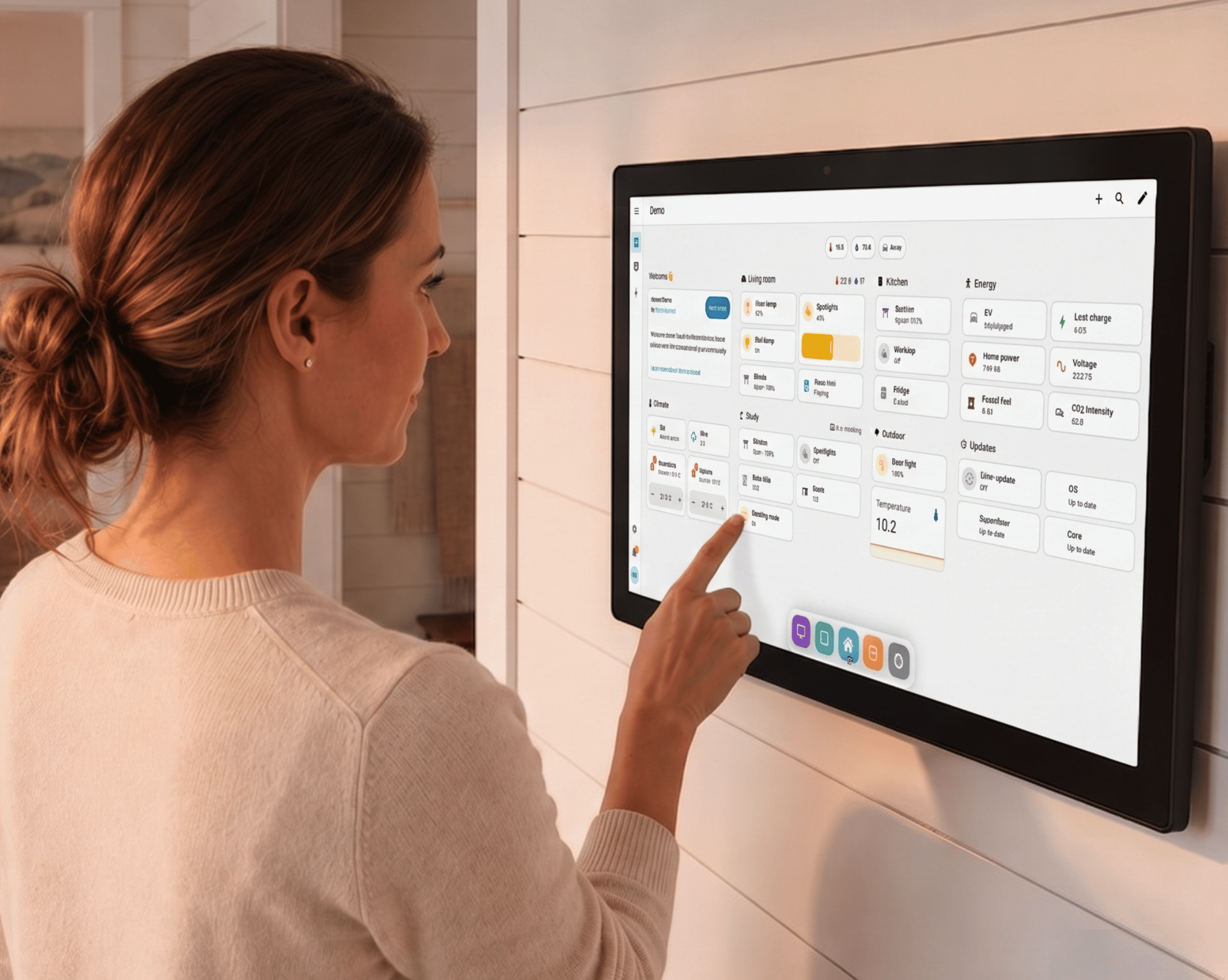
- A Softer Start: Program the display to gradually bring up bedroom or hallway lights and nudge the thermostat to a comfortable temperature, so mornings start with light instead of an alarm blaring in the dark.
- Bus Stop Warning: A few minutes before the bus is due, have a smart bulb flash or change color as a visual cue to grab backpacks, no shouting up the stairs required.
- Out the Door: Take a glance at your driveway camera to make sure everyone is getting into the car, then you can tap a single button on the touchscreen to turn off the lights on your way out.
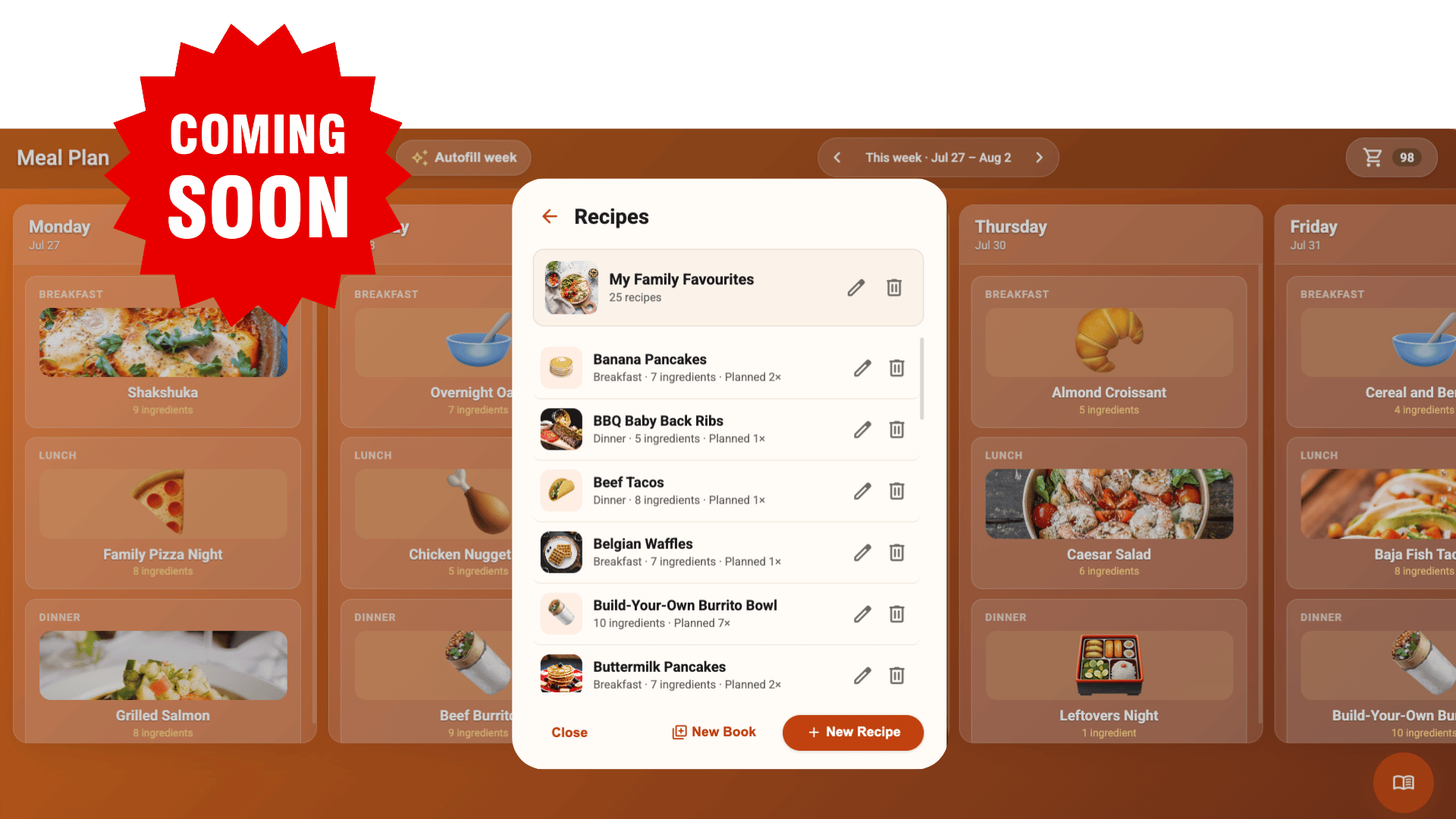
Coming Soon: The Meal Planner
To fully round out the daily routine, our team is hard at work on a highly anticipated Meal Planner! Soon, you will be able to tackle the nightly “what is for dinner?” scramble with recipes and grocery lists built right into TouchHub. Stay tuned!
No Touch Wall Display? No Problem!
If you don’t have a dedicated touchscreen monitor just yet, you can still take full advantage of TouchHub’s interactivity using devices you already own, like an iPad, tablet, or Chromebook. And if you decide a dedicated screen is next on your list, it’s worth keeping an eye out for our digital family calendar deals.
Want something a little bigger? You can turn any TV or monitor into a smart family command center by grabbing a discounted DAKboard CPU during our back-to-school home organizer sale. You can even build your own interactive display by pairing it with your own Linux-compatible USB touchscreen or IR overlay!
Master the Morning & After-School Routine With Core Favorites
The daily rush is the ultimate test of family logistics. Some tricks never go out of style. Here is a quick breakdown of the core features that make DAKboard the smart calendar of choice for families. Getting started is even easier right now with our smart calendar back-to-school sale.
| The Daily Challenge | The Core DAKboard Solution |
| “Who is supposed to be where?!” | Color-Coded Schedules: Sync each kid’s schedule with their own unique color. New for this year: Go beyond colors and upload Calendar Headshots so kids instantly spot their own faces next to soccer practice or dentist appointments! |
| “We need to leave right now!” | A Countdown Clock: Stop yelling the 5-minute warning! Pop a live visual Countdown Timer block on your screen so the clock does the reminding instead of you. |
| “Are we going to be late?” | Keep Tabs on Traffic: Add a travel/commute block. Set a rule to turn the block bright red if traffic is backed up, so everyone knows it’s time to hustle out the door. |
| Afternoon meltdowns & homework battles | Built-In Downtime: Kids get home from school tired, hungry, and in no mood to start homework right away. A short breather before diving into the books helps them reset and focus better. Set up text blocks to pop up at specific times: start with “Snack Time” at 3:30 PM, then let it automatically flip to “Homework Hour” at 4:00 PM. |
| “What are we having for lunch?” | Menus At A Glance: Add your school’s Google Calendar, iCal, or Nutrislice menu directly to a scrolling calendar block. You’ll never have to guess if it’s hot lunch day or if you need to pack a sandwich. |
Elevate Your Routine With a DAKboard Wall Display
TouchHub and the DAKboard app work well on devices you already own, but the smoothest experience is still on a dedicated wall display. Displays like the Touch 27 or the Touch 22, now powered by the faster Raspberry Pi 5, give you the most responsive TouchHub experience available, and right now they’re part of our back-to-school home organizer sale.