 by
by When it comes to digital wall calendars, most screens on the market force you into rigid, identical layouts. At DAKboard, we believe your home organization should actually look like it belongs in your home.
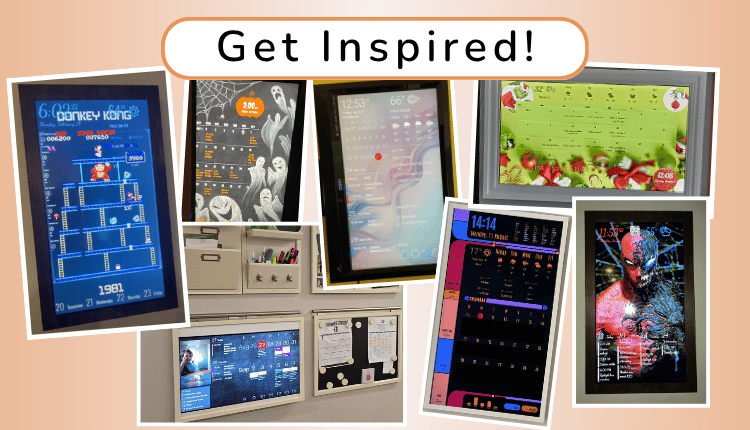
Whether you want a seamless family command center, a sci-fi data hub, or a festive holiday tracker, you have the creative freedom to build it. Here is a look at some of our favorite creative setups from the DAKboard community and the blocks they used to make it happen.
A DAKboard Team Fav!
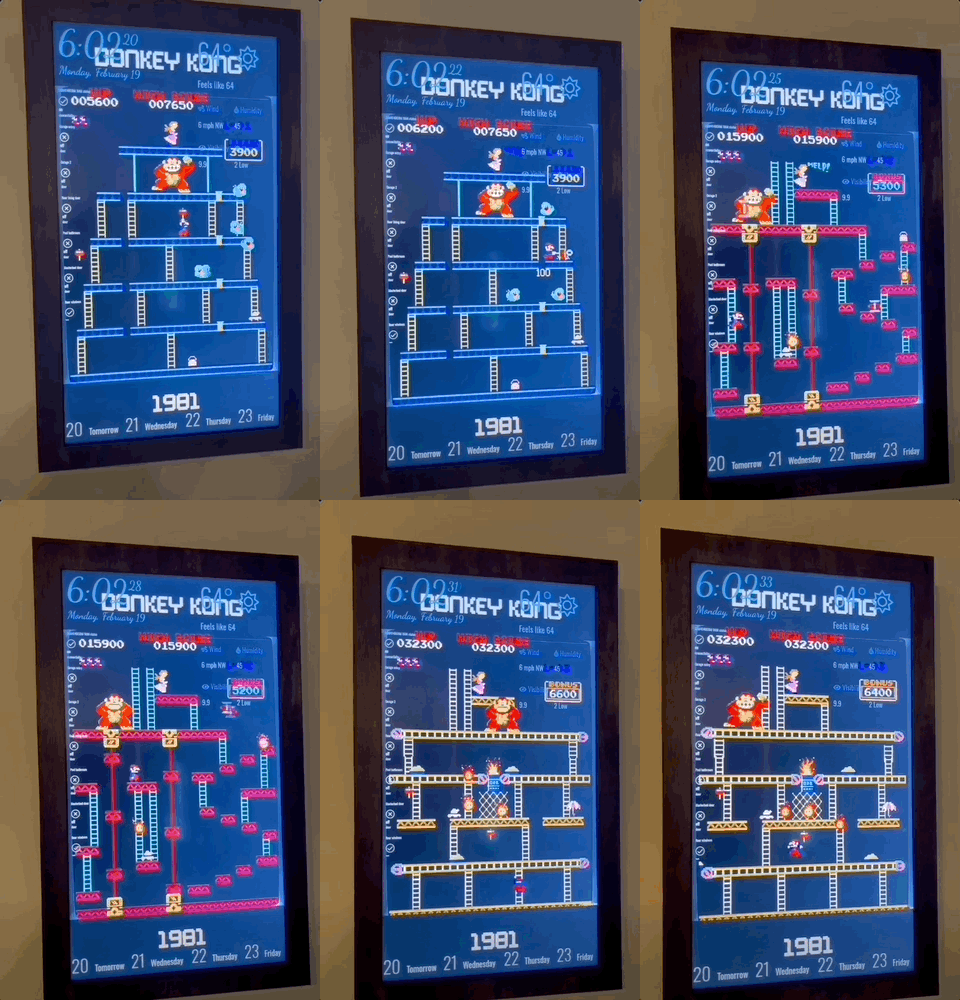
How cool is this?! DAKboard user Jimmie H. used a YouTube video block to add a retro Donkey Kong game as a nostalgic, animated background for his 40″ display. This screen is just one great example of the wild creativity we see from our community.
We built DAKboard to give users simplified, complete control over their designs, providing a canvas for limitless possibilities.
The Built-In Family Organizer
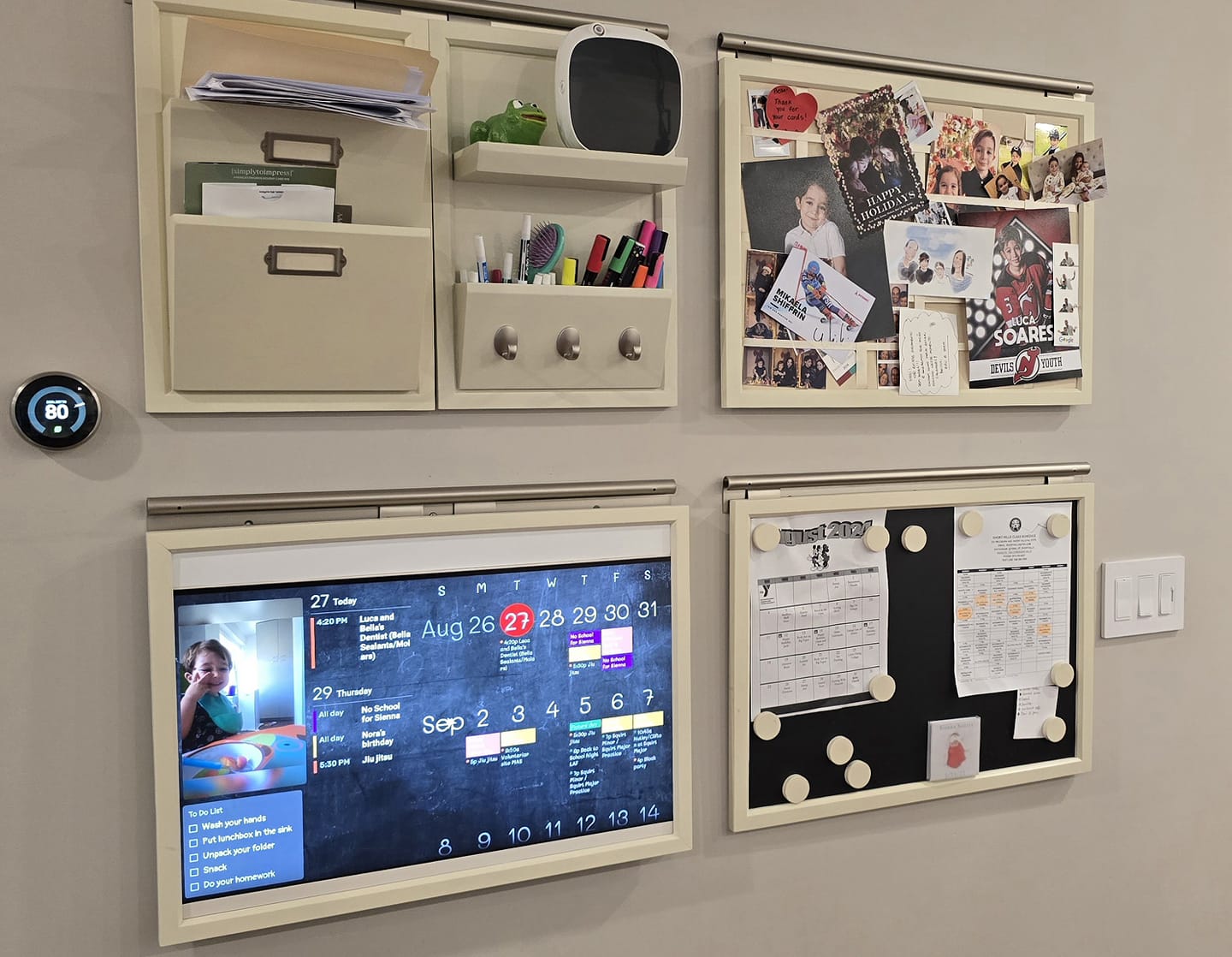
The Vibe: This user seamlessly upgraded from a Pottery Barn calendar whiteboard to a smart display. By adding a custom wooden frame around their monitor, it perfectly matches the existing wall organizer for a beautiful, highly functional family hub.
Blocks Used:
- Photo – Chalkboard Template Background & Family Pics
- Big Monthly Calendar
- Agenda Calendar
- Photos
- To-Do List
The Sci-Fi Smart Home Hub
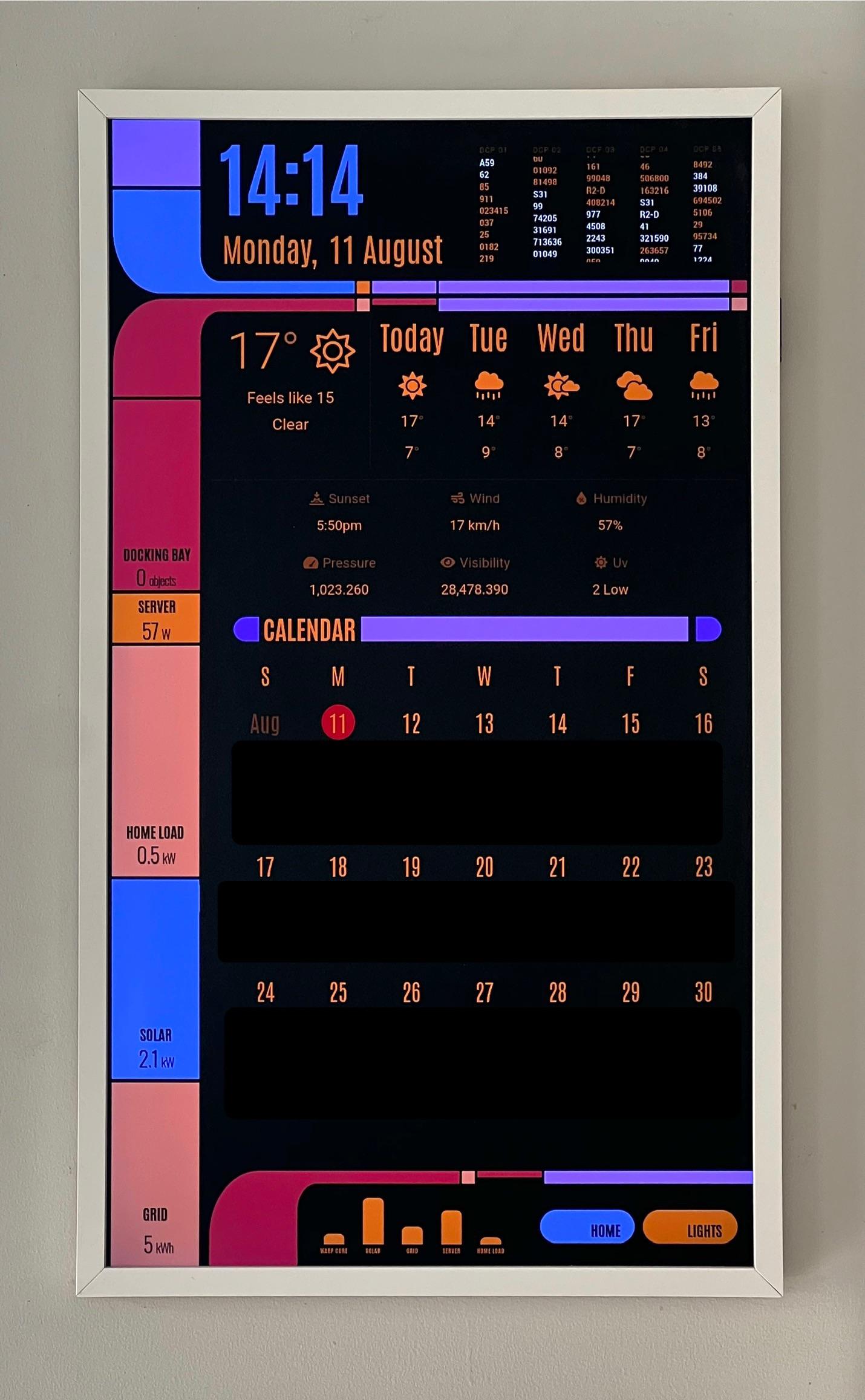
The Vibe: Why settle for a standard display when you can captain your own starship? This awesome Star Trek-themed board uses custom data imported from Home Assistant to track everything from home power loads to the number of cars parked in the driveway.
Blocks Used:
- Photo: Custom Sci-Fi Background
- Home Assistant Integrations (Data & Metrics)
- Weather
- Big Monthly Calendar
Minimalist Movie Poster Magic
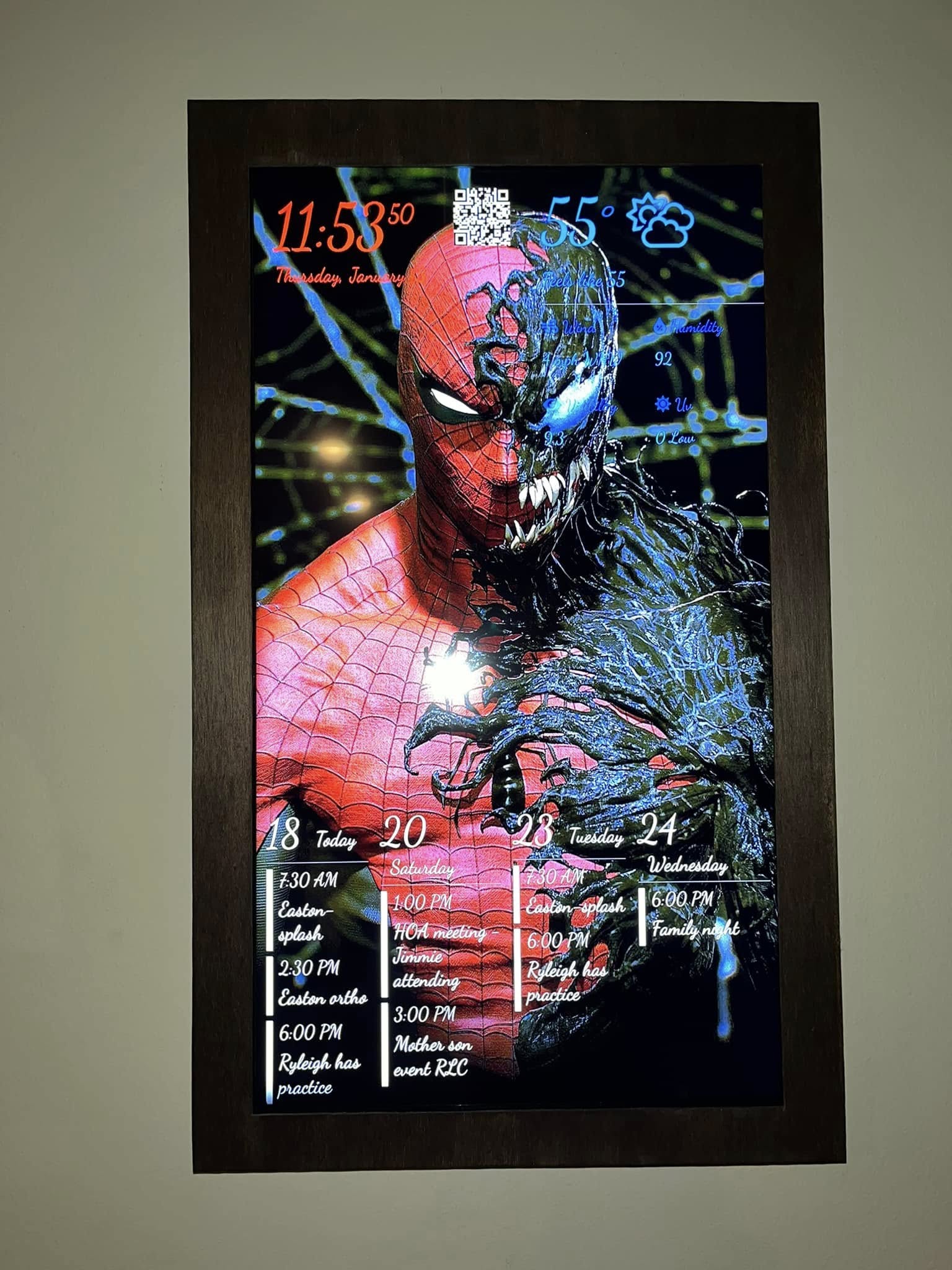
The Vibe: Built for around $100 using a browser display, this Marvel-inspired board automatically turns on and off using Samsung SmartThings and works alongside Alexa to announce notifications aloud. It is a perfect example of keeping a layout clean, striking, and incredibly cool.
Blocks Used:
- Photo Block – Movie Poster Background
- Time
- Weather
- Agenda Calendar
- QR Code – for WiFi credentials or links
Spooky Season Ready
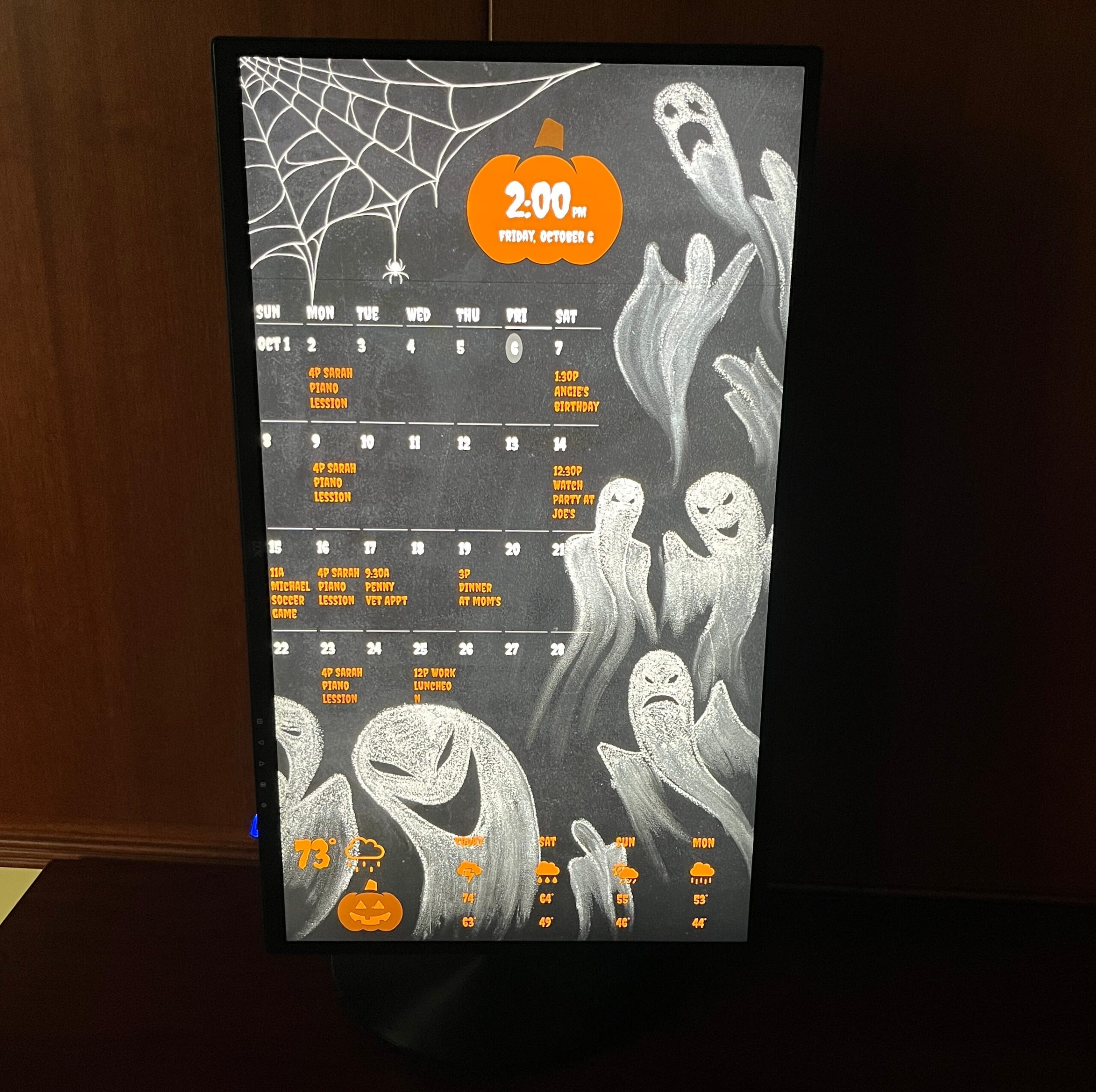
The Vibe: DAKboard makes it incredibly easy to swap out your aesthetic for the holidays. This user utilized one of our pre-made seasonal templates to instantly give their home a fun, spooky makeover.
Blocks Used:
- Photo – Ghost Template Background
- Monthly Calendar
- Weather
- Time
- Custom Jack-o-Lantern Icons
- Customized with “Creepster” font
The Sports Fanatic
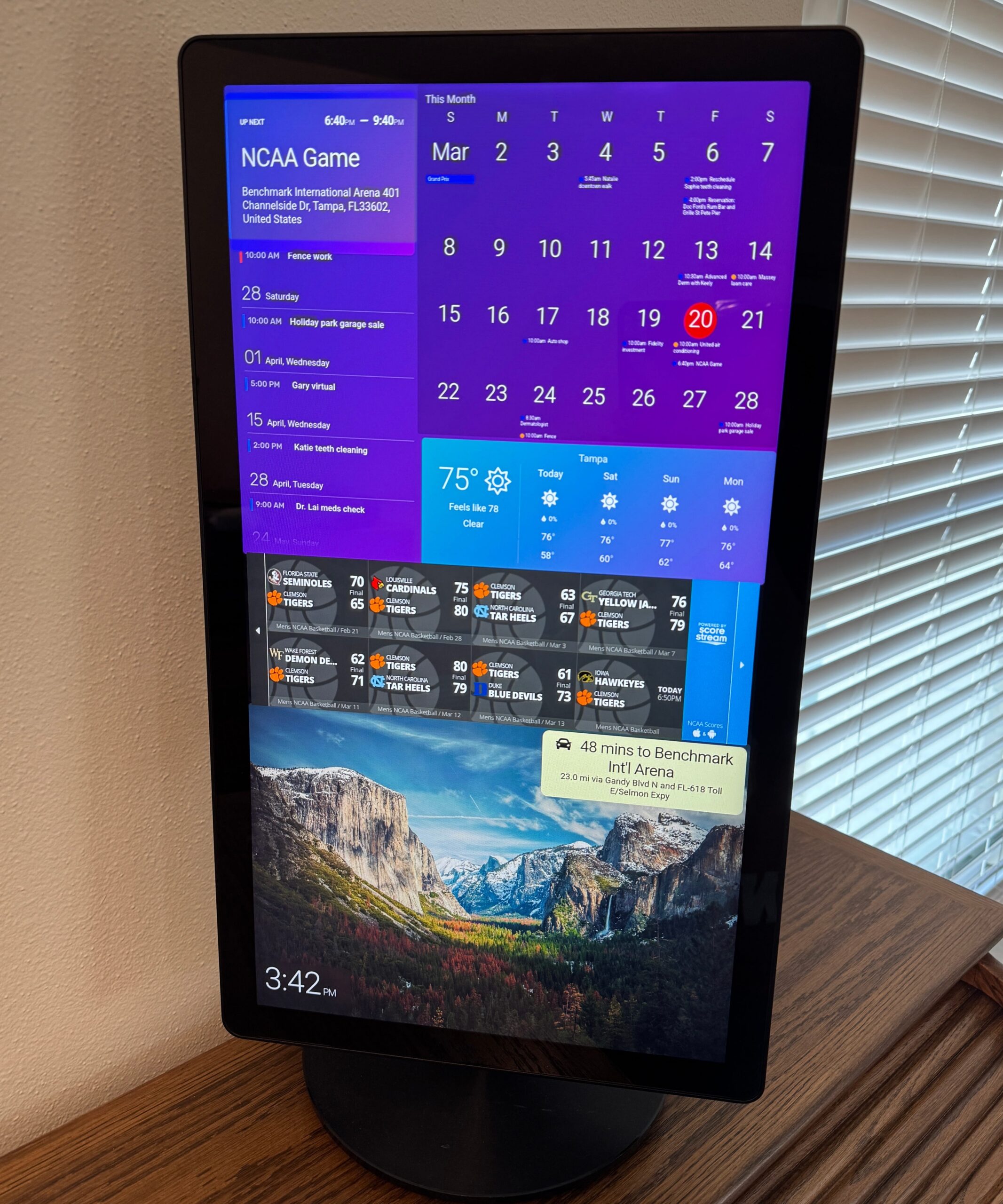
The Vibe: Built specifically for game day prep, this screen tracks tournament stats, upcoming game times, and even the driving commute to the local sports arena.
Blocks Used:
- Big Monthly Calendar
- Up Next Calendar
- Score Stream Widget
- Traffic (Commute Time)
- Weather
- Time
- Photos
A Very Merry Grinchmas
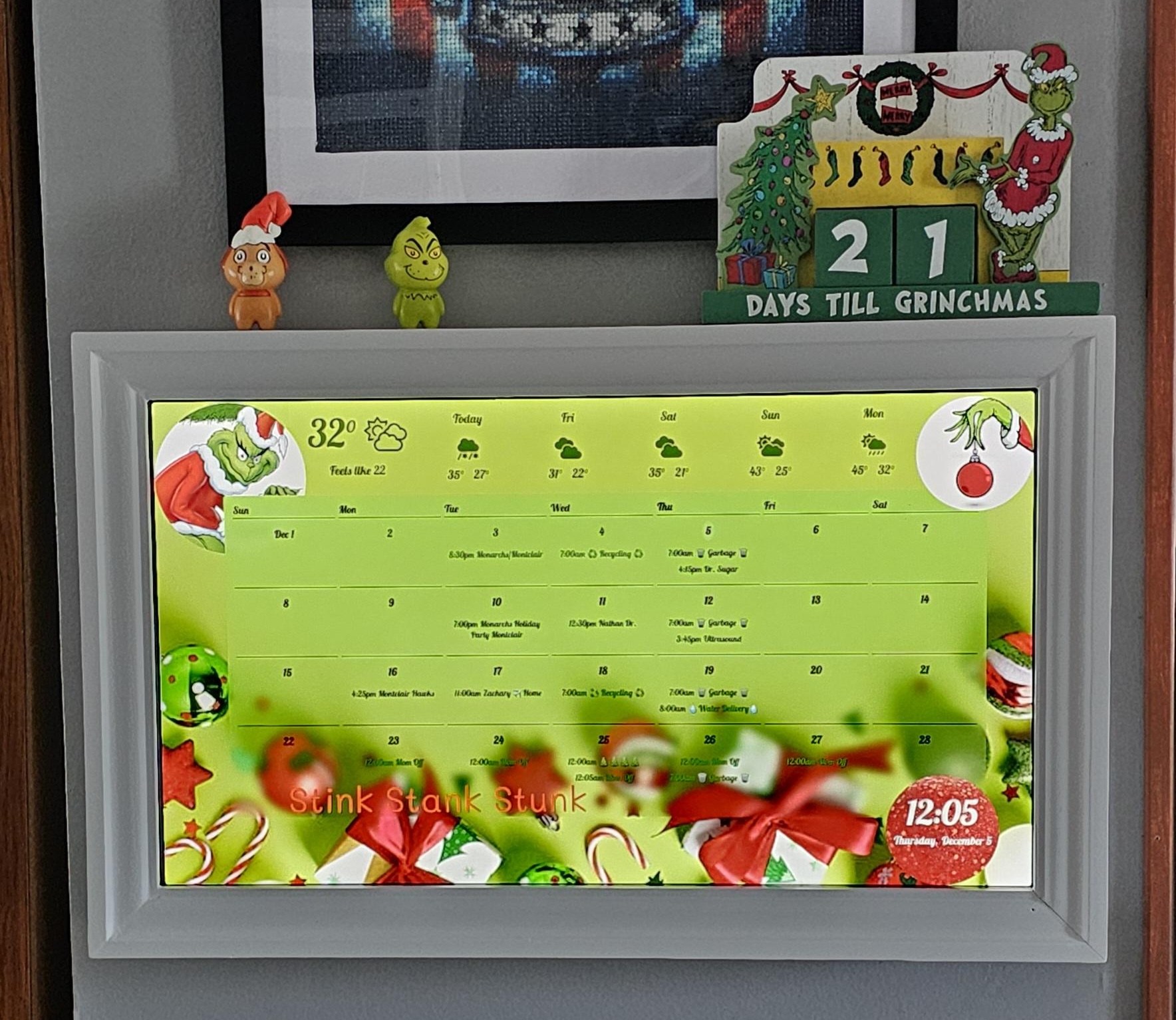
The Vibe: Powered by an older Raspberry Pi Zero and wrapped in a hand-crafted Home Depot frame, this Grinch-themed display is holiday dedication at its finest. It proves that you can run DAKboard on repurposed tech and still get stunning results.
Blocks Used:
- Photo – Custom Holiday Background
- Monthly Calendar
- Clock (Styled as an ornament)
- Scrolling Text
- Weather
The Upcycled Daily Planner
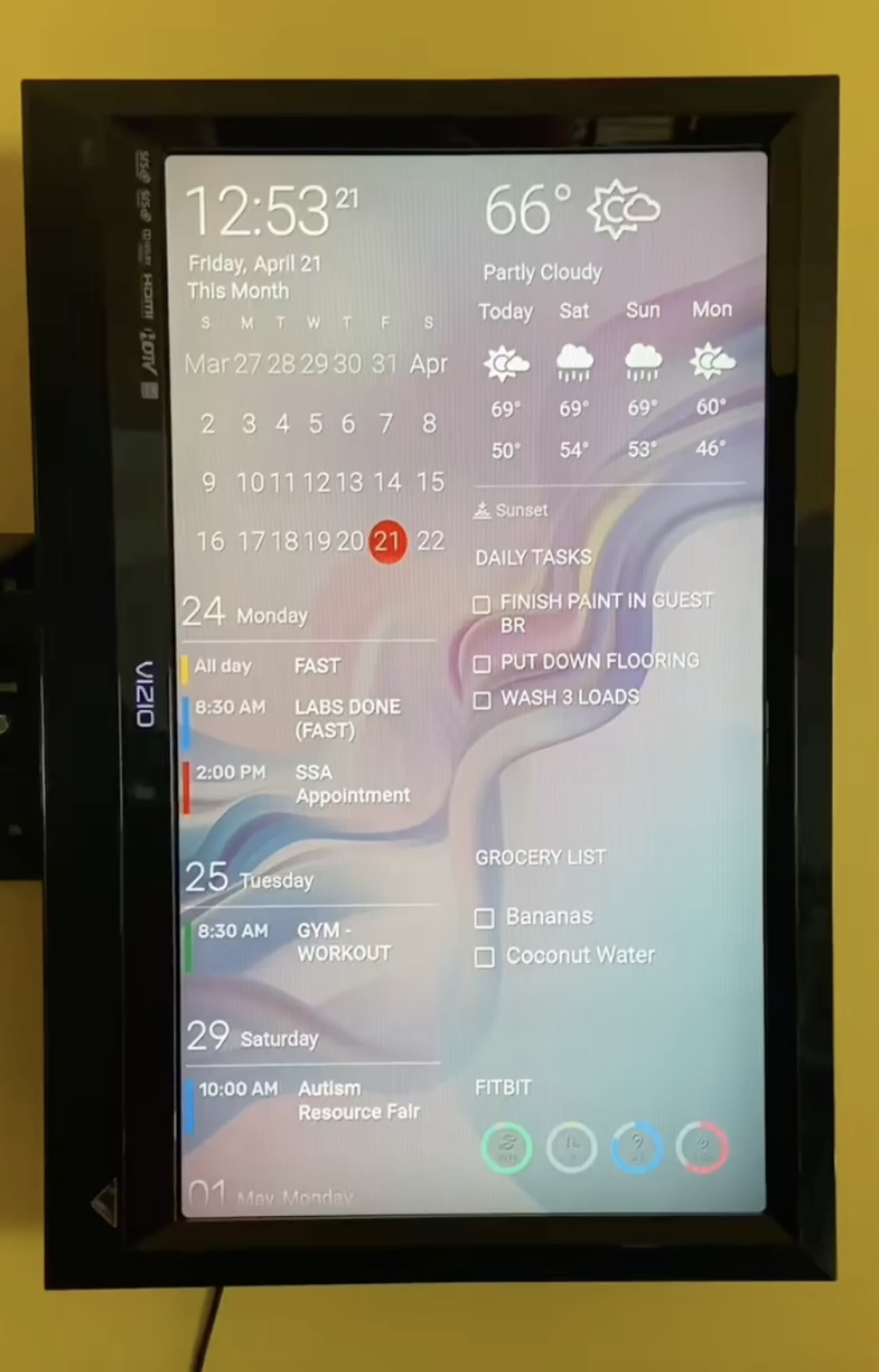
The Vibe: This user brought an old, unused TV back to life with a simple Firestick and the DAKboard app. By combining health tracking, daily chores, and upcoming events, it serves as the ultimate personal productivity dashboard.
Blocks Used:
- Photo – Canva Gradient Background
- Fitbit Integration
- Agenda Calendar
- Big Monthly Calendar
- Daily To-Do List
- Grocery List
- Date & Time
- Weather
Build It Your Way
Whether you start with a pre-built template or design a unique smart hub from scratch, DAKboard gives you the tools to make it happen. Create a new account today and get started with a 30-day free trial of Plus to see what you can create!